
Unlock/Lock Vehicles
Garage > Vehicle Information Page
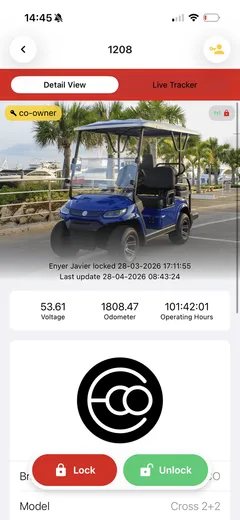
If you have received an Access Key for a certain vehicle you can Unlock and Lock the vehicle via the mobile app on IOS and Android.
Please note: you can only Lock/Unlock vehicles via the mobile app, not via iq.ecoplaneta.com.
Vehicles will be unlocked via 4G or Bluetooth automatically. But if you have a driver key, it will be only unlocked or locked via Bluetooth. Make sure that your bluetooth is on.
How to Unlock your Vehicle?
Section titled “How to Unlock your Vehicle?”Select the vehicle in your garage you want to unlock. Click on the Green button to unlock. Usually the vehicle unlocks in 2 seconds (before the screen on your mobile updates the lock status).
How to lock your Vehicle?
Section titled “How to lock your Vehicle?”Click on the Red button to lock. Your screen in the app takes a little bit more time to update.
Please be sure that you have confirmed that the vehicle is parked and not in use, before unlocking the vehicle. This to prevent potential dangerous traffic situations.
How to check lock status of Vehicle?
Section titled “How to check lock status of Vehicle?”In the Vehicle Information Page of each vehicle you can see the lock status. On the right side of the screen you will see a lock. If it is open and green, the vehicle is unlocked. If it is closed and red, the vehicle is locked.
I don’t see Lock/Unlock Buttons
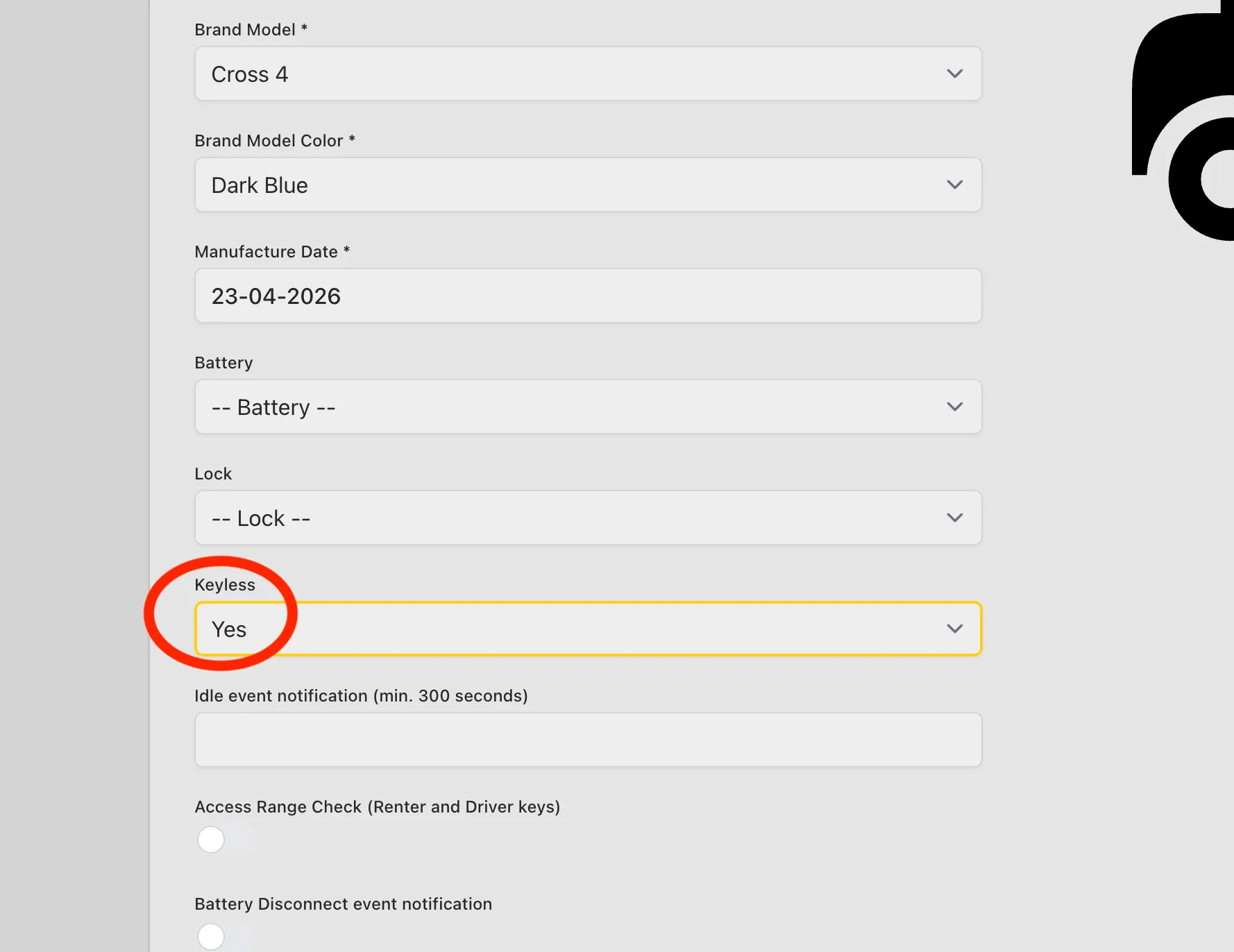
Section titled “I don’t see Lock/Unlock Buttons”If you don’t see Lock/Unlock Buttons when you are on a vehicle page in the mobile app, the keyless feature is not set to Yes.
Still need help? Email info@ecoplaneta.com or visit ecoplaneta.com.
Privacy policy