
Create Access Keys
If you have an owner, co-owner, manager or renter key, you can also create and share access keys with other users. Only with driver keys, you cannot create and share access keys.
Key Creation via Mobile App
Section titled “Key Creation via Mobile App”How do you know which key you have? In the left top corner you see the type of key. In this example the user has a renter key, so you can create access keys.
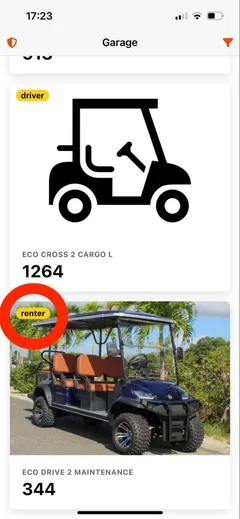
To create a new access key click on the vehicle. Then in the top right hand corner you can see the button for key creation. Click on it.
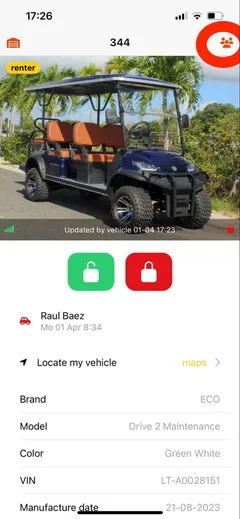
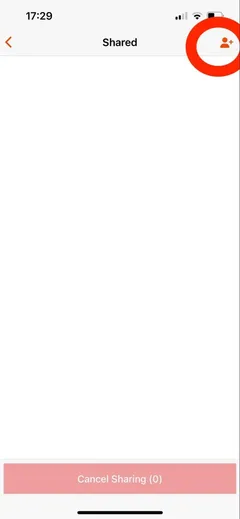
On this page you can see who has a key. If no keys are shown, nobody else has a key. In the top right hand corner you click to start creating a new key.
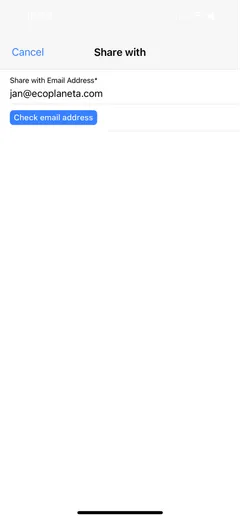
Then fill out the email address of the person you want to share an access key with.
After that you can select the type of key and choose if you want to create a permanent key (that you can manually revoke in the future) or you can create a key that gets automatically revoked once the end time end date is reached.
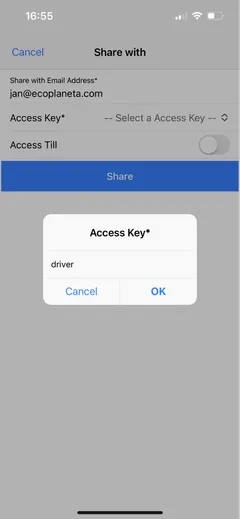
If you are done with your selection click on Share and you have created a new key!
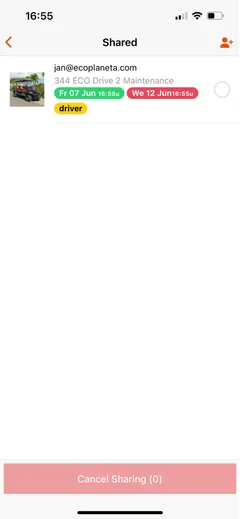
The other user will see the vehicle in their garage. Or if they don’t have an Eco Planeta IQ account they will receive an email to first create an account. When done, this user will also see the vehicle in his garage.
Cancel Access Keys
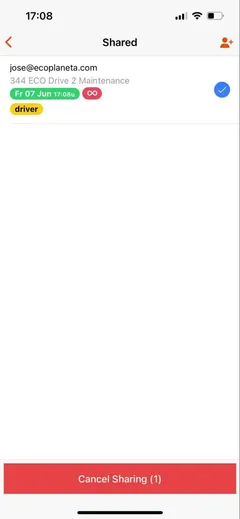
Section titled “Cancel Access Keys”If you want to revoke a key select the user in the shared overview and click sharing.
Key Creation via Web Browser
Section titled “Key Creation via Web Browser”For large scale creation of access key we recommended doing it via the webbrowser. It allows you to work quicker.
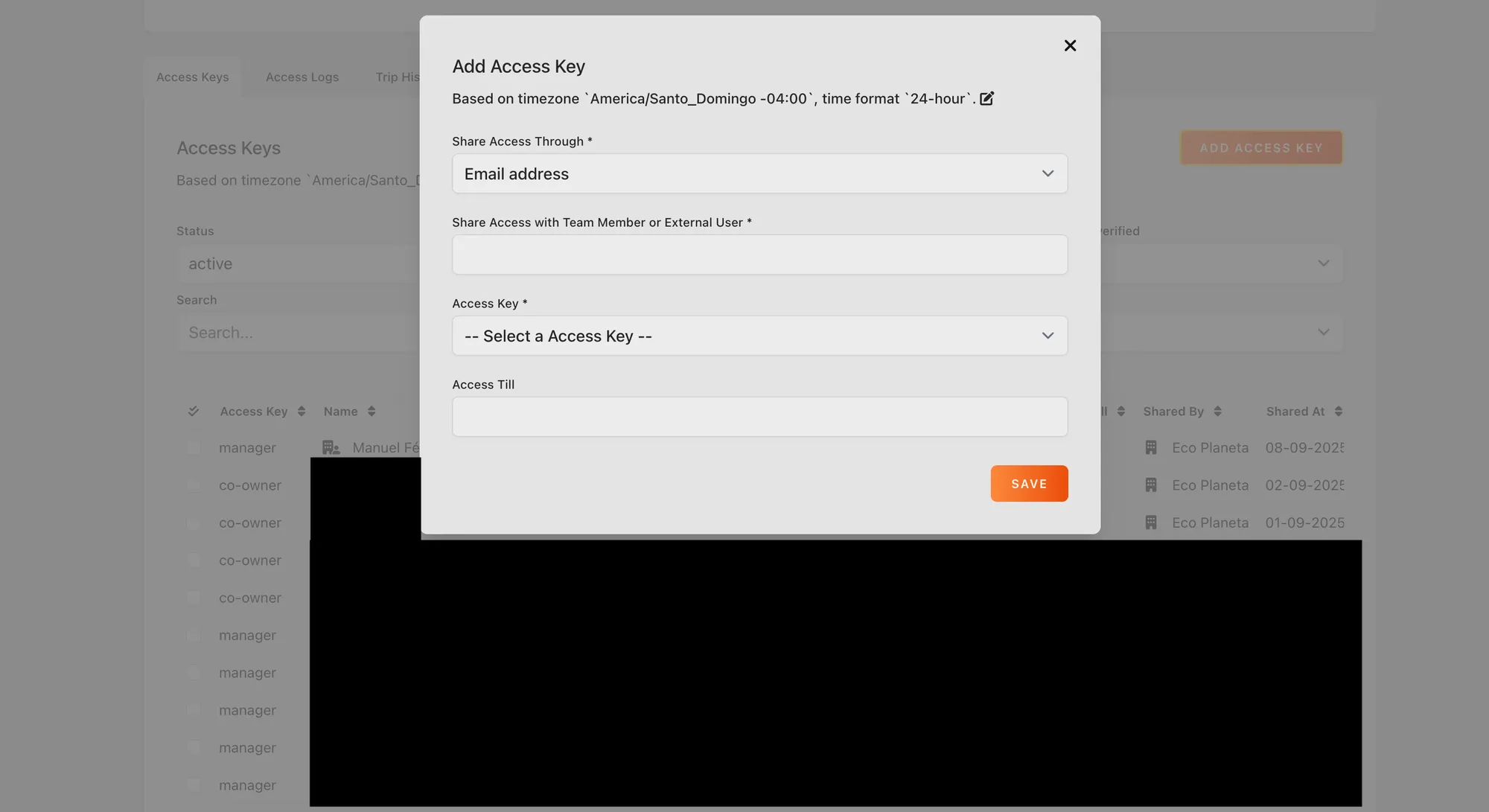
Garage > Select Specific Vehicle > Click Add New Access Key
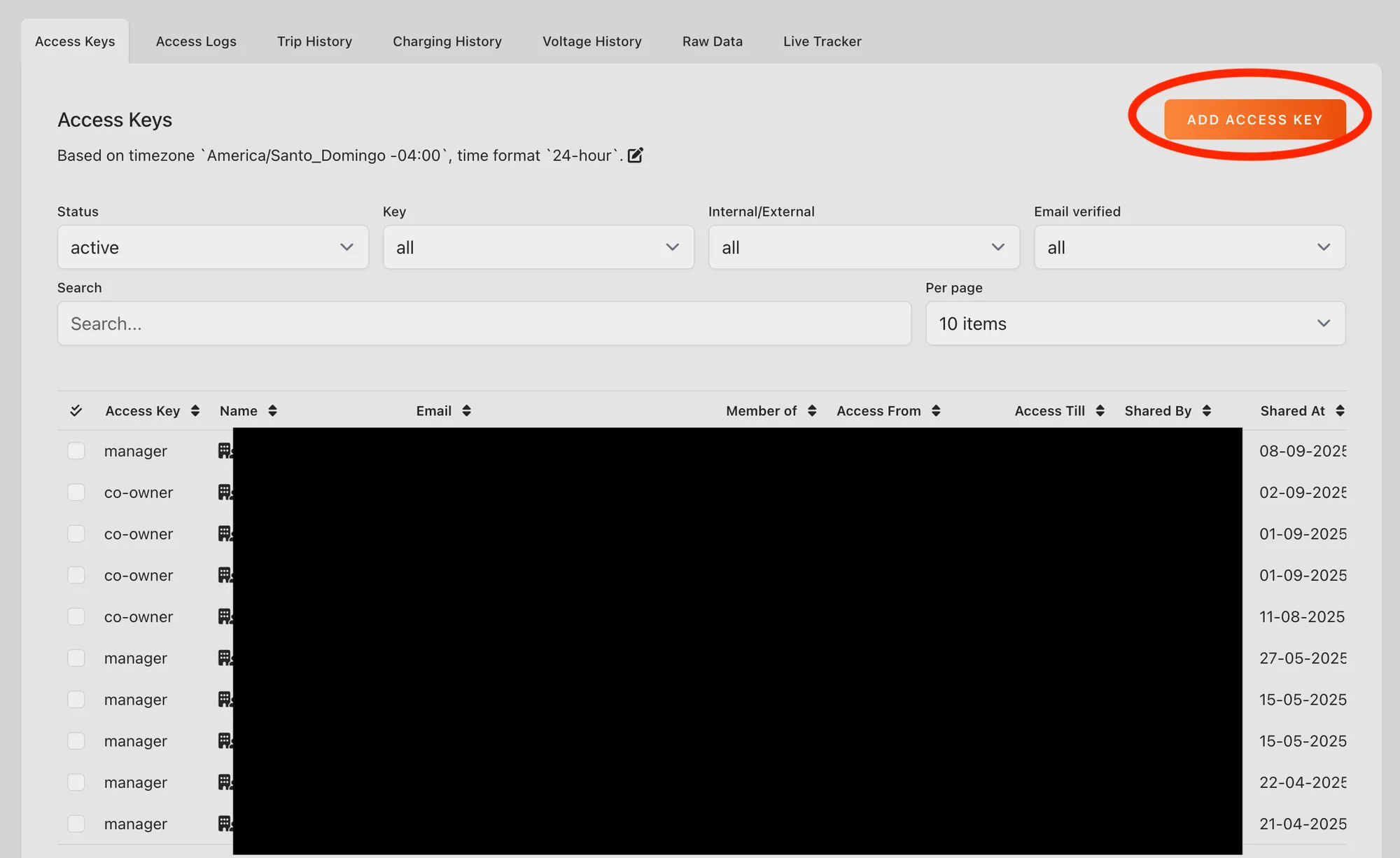
Then you can add the correct email and select the type of key you want to share. You can also put in the end date of the access key. If you leave this field empty the key will be active until you revoke it manually.
Still need help? Email info@ecoplaneta.com or visit ecoplaneta.com.
Privacy policy