
I cannot login
There are multiple reasons why a user cannot login in to Eco Planeta IQ.
User email not verified
To create an Eco Planeta IQ account you need to verify your email. In your inbox you will find a verification email with the verification link.
How to know when email is not verified
If you are the one sharing a digital key with a new Eco Planeta IQ user, you can see if the account is already verified.
In the browser app you go to the garage, select a vehicle and go to access keys. In the email column you will find a green checkmark if somebody has his email verified.
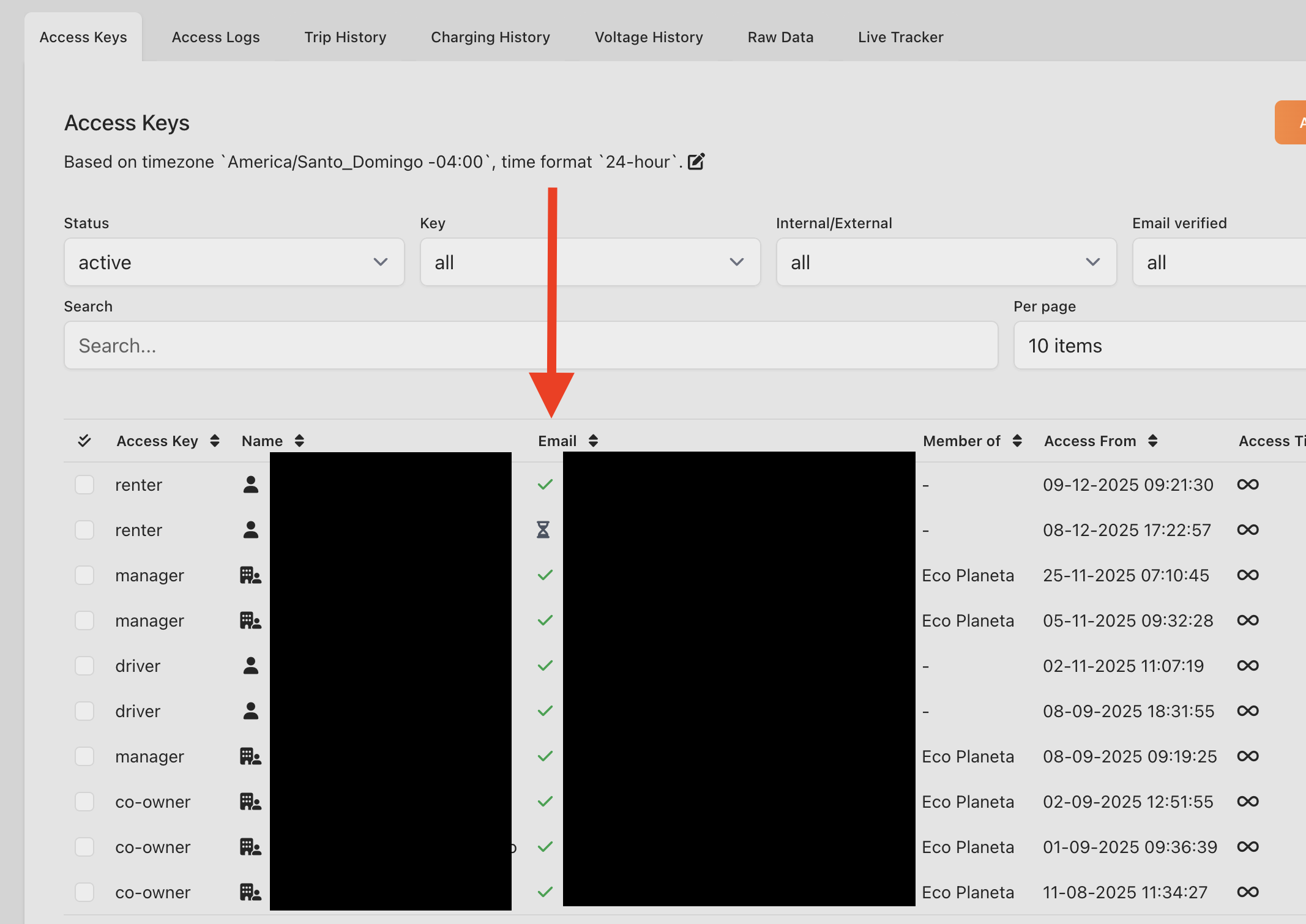
Check email
If you cannot find the verification email in your email inbox, please check if the digital key was shared with the correct email or if you are signing up with the correct email.
Check Spambox
If the email used was correct, please check your spambox.
Using wrong password
If you established that the user account was verified, it can be possible that you are trying to login with the wrong email/password.
If you forgot your password, please click the reset button to change your password.
No internet connection or a very bad connection
To login to the mobile app, you will need an internet connection, without it or with a very bad connection you will not be able to login. Once logged in, you don't need internet to enable and disable the vehicle, because Eco Planeta IQ also works with Bluetooth.
We do however recommend to have always internet and bluetooth enabled on your phone for the best experience.
And keep in mind that your login session can expire after a couple of days and that you need to login again with an internet connection.