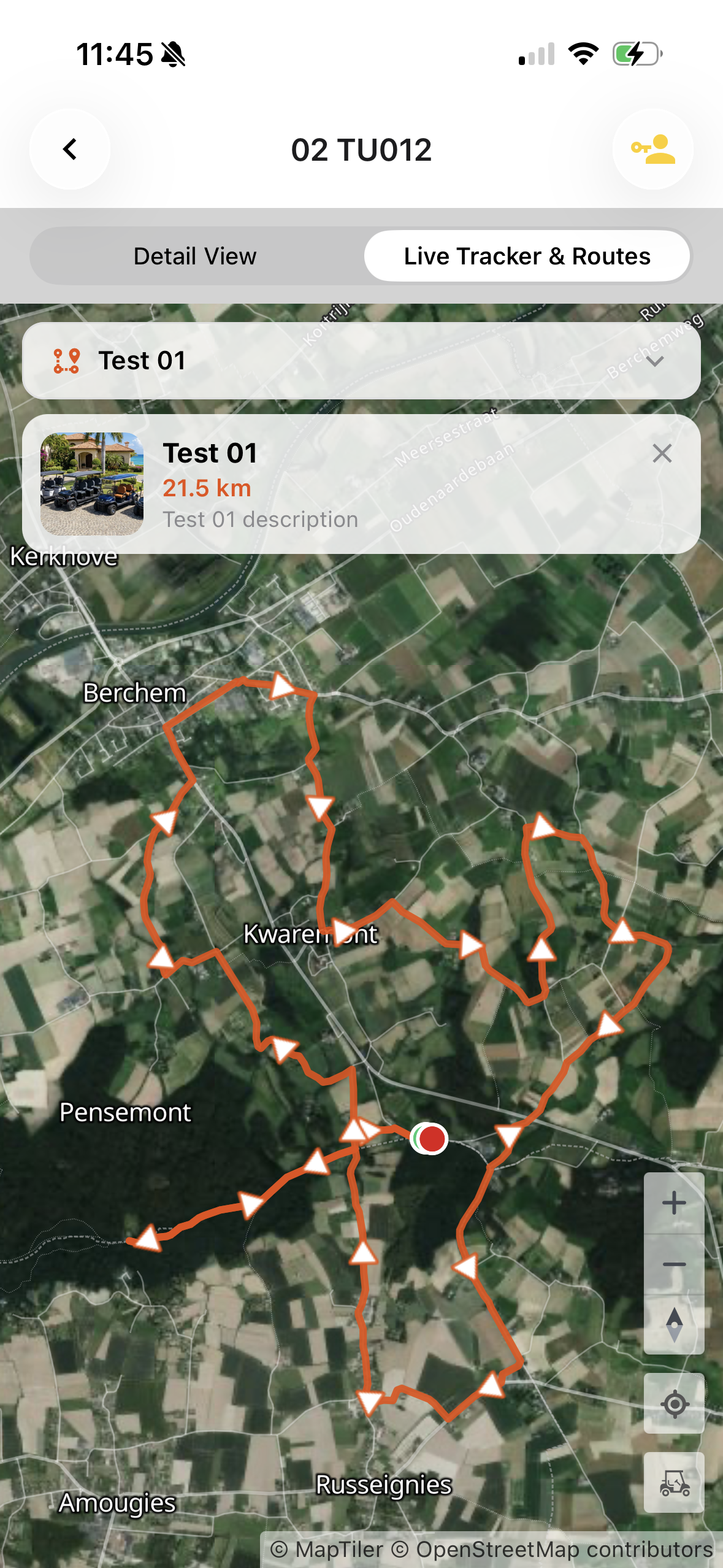
Routes
Only available for organization accounts
With routes you can create different routes for users to drive. When configured the routes will show up in the Eco Planeta IQ app. Important to note: you need to add specific vehicles to the add route to make it visible in the mobile app.
The location of the user will also be visible on the map with the route.
Configure Routes
Organization > Fleets > Routes
Create a route. Give it a title and description. If you have more than one route you can configure the order. You can also add an image.
Click on vehicles to relate vehicles to the route. When selected the route will show up in the mobile app.
In the last tab you can add a gpx file with your route. Based on the order of the gpx coordinates the route will have automatically a start and end point. Also arrows will be shown automatically.
How to use Routes in the mobile app
Go to the vehicles that are assigned to the route.
Click on the Live Tracker & Routes tab.
Select the route you want to follow.