Lithium Battery Info (Beta)
Our Eco golf carts are equipped with Li4power Lithium Batteries. Through IQ, users can access battery information via Bluetooth. Each trip start or end captures and shares key battery data with the IQ platform, providing a history of the battery state at iq.ecoplaneta.com. This feature aids in diagnosing issues and verifying if the vehicle was charged before use.
Please note this feature is currently in Beta. Feel free to give us feedback to improve this feature.
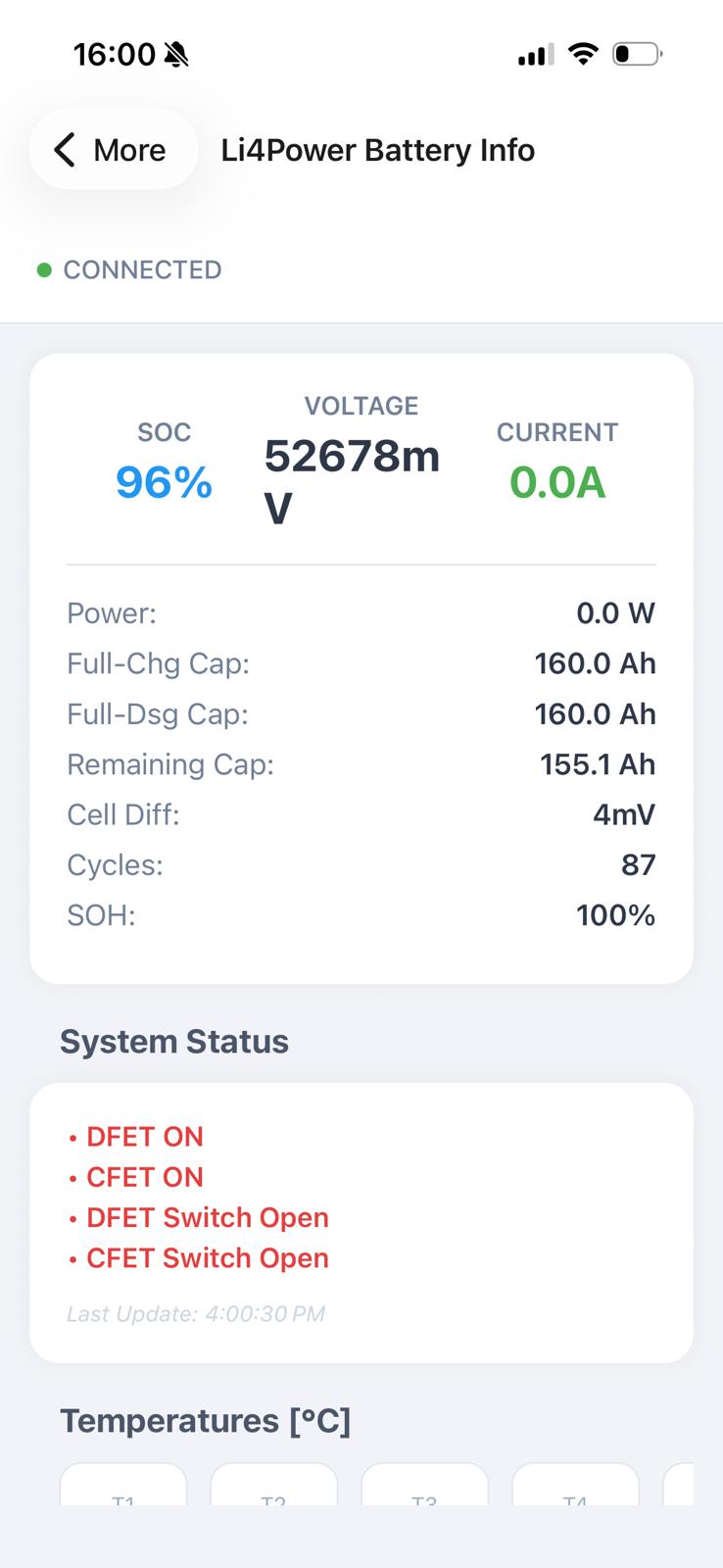
Battery info visible
State of Charge
Voltage
Temperatures per cell
Total number of battery cycles
Error Codes
How to integrate with IQ
Make sure you have an Li4power Battery in your golf cart.
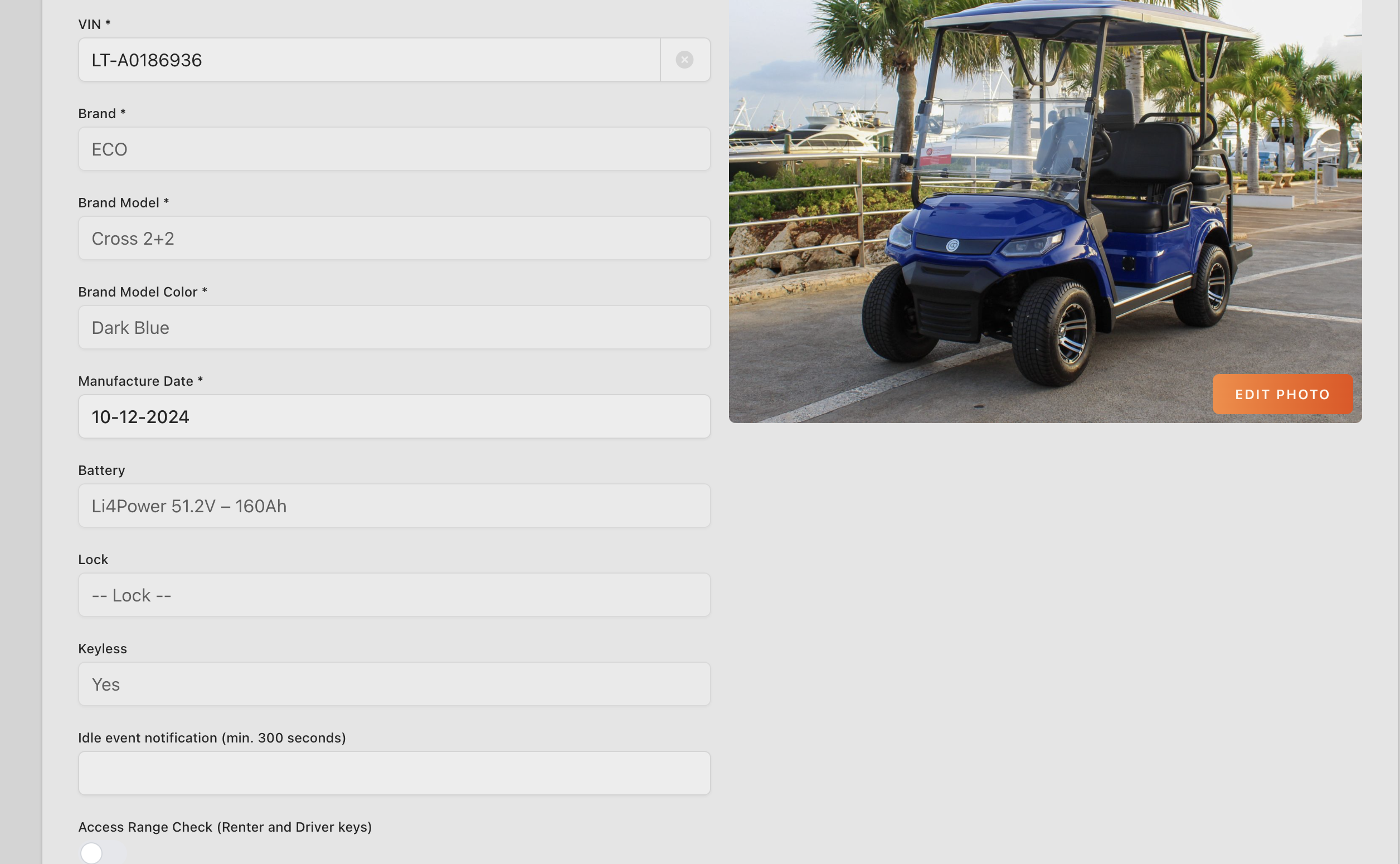
Go to iq.ecoplaneta.com, select the vehicle you want to integrate with IQ
Make sure that a Li4power battery is selected in the vehicle info section of the page.
Go to the mobile IQ app and make sure your bluetooth is enabled.
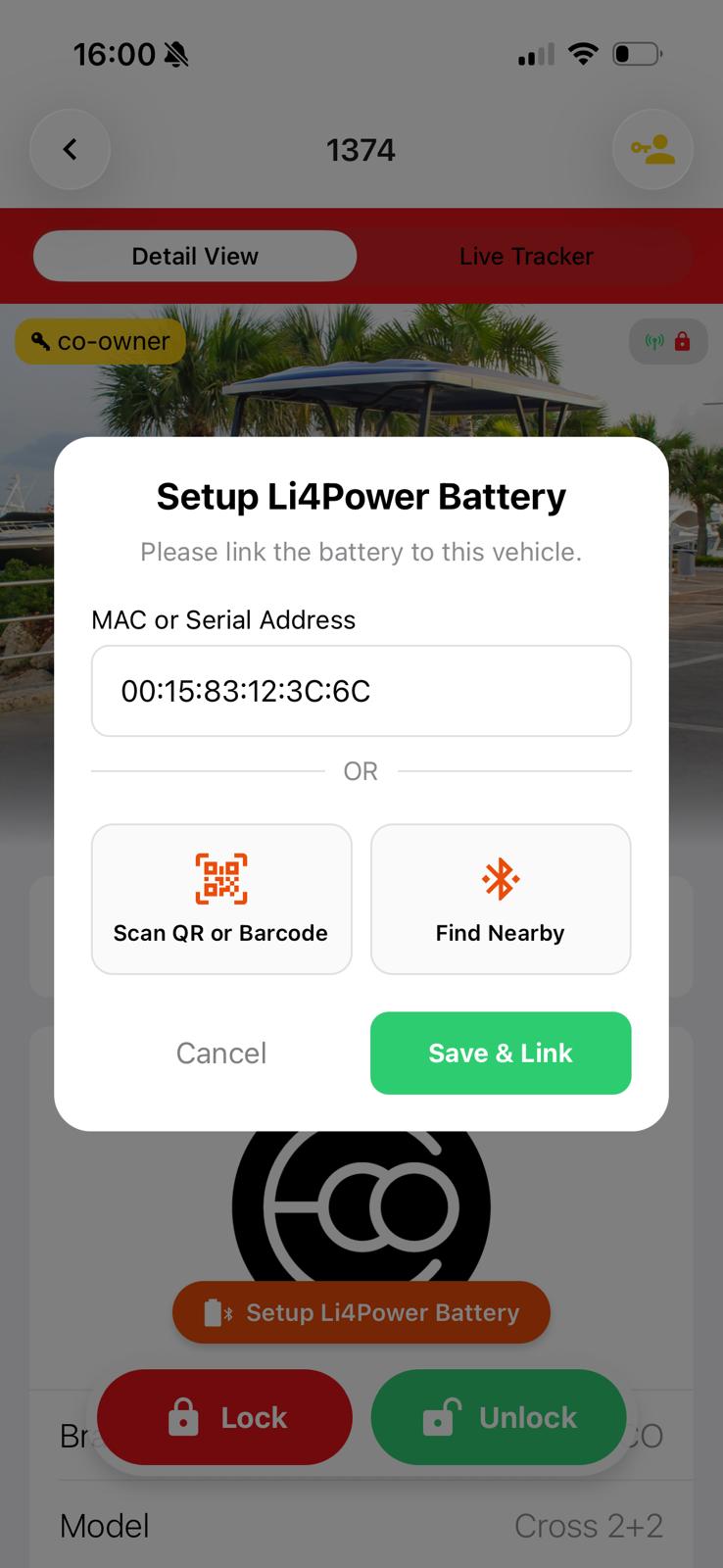
You should see above the unlock/lock buttons a new button: Setup Li4Power Battery.
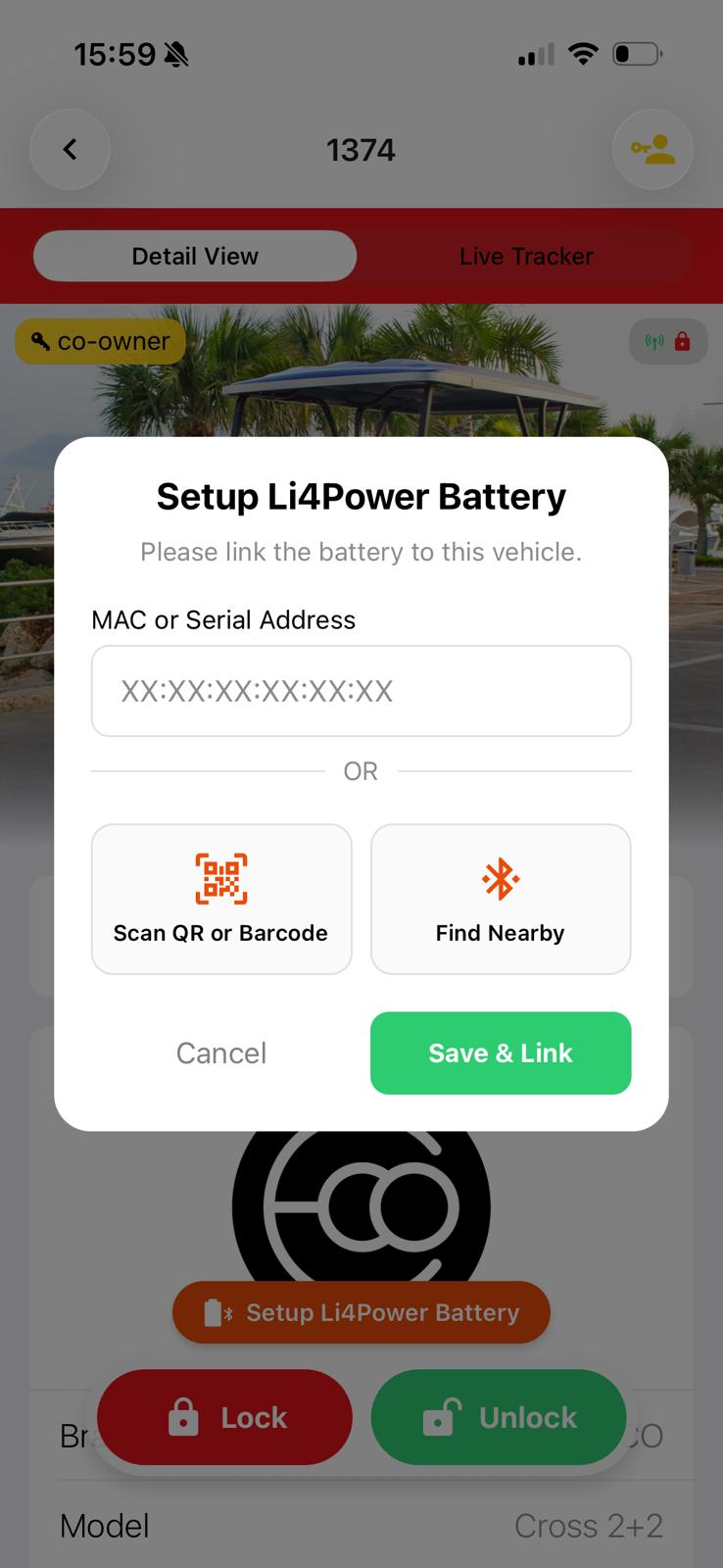
Stand next to your golf cart and click the button. If multiple batteries appear, move your cart away from others to avoid linking to a different battery. Alternatively, use the battery sticker to match the Bluetooth name.
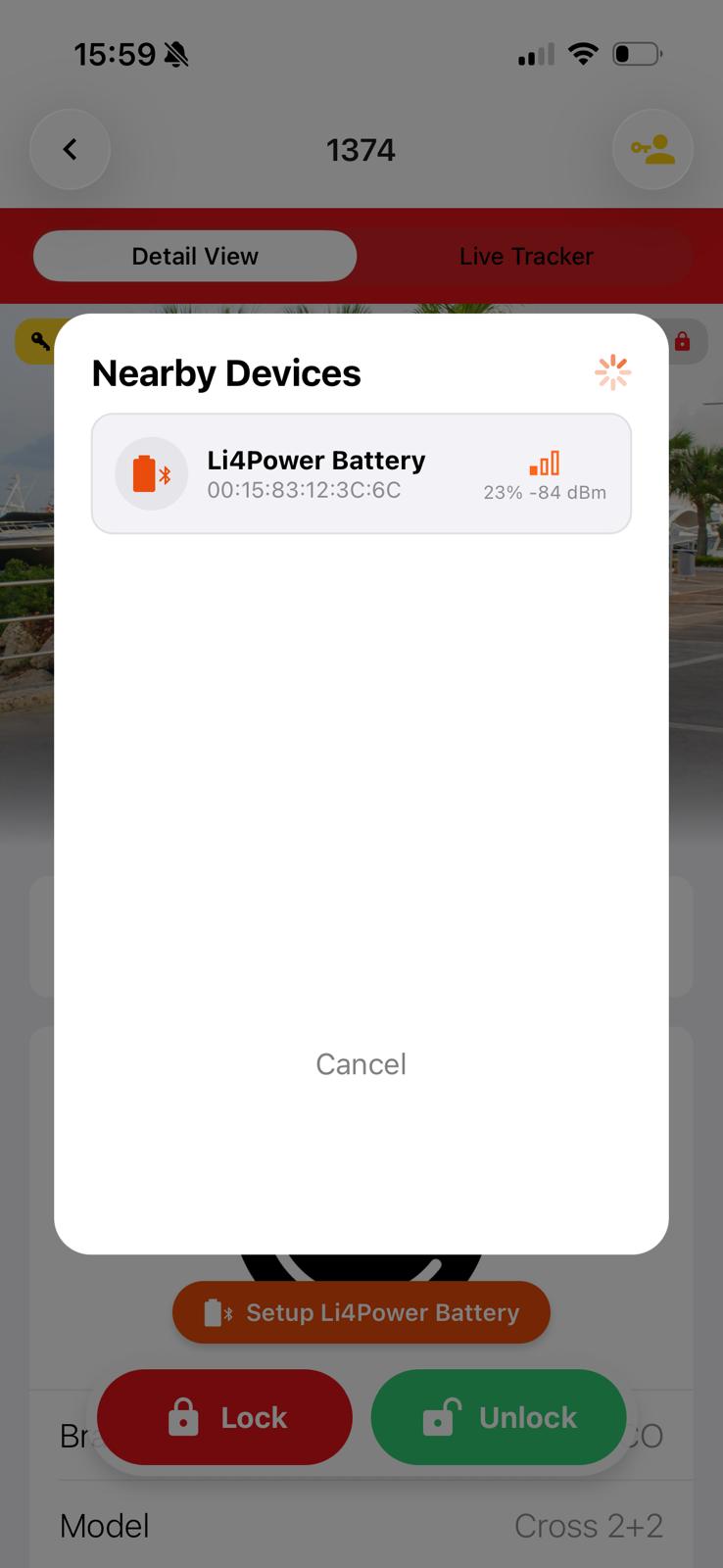
Select the battery and save link. The orange setup button will disappear after successful link.
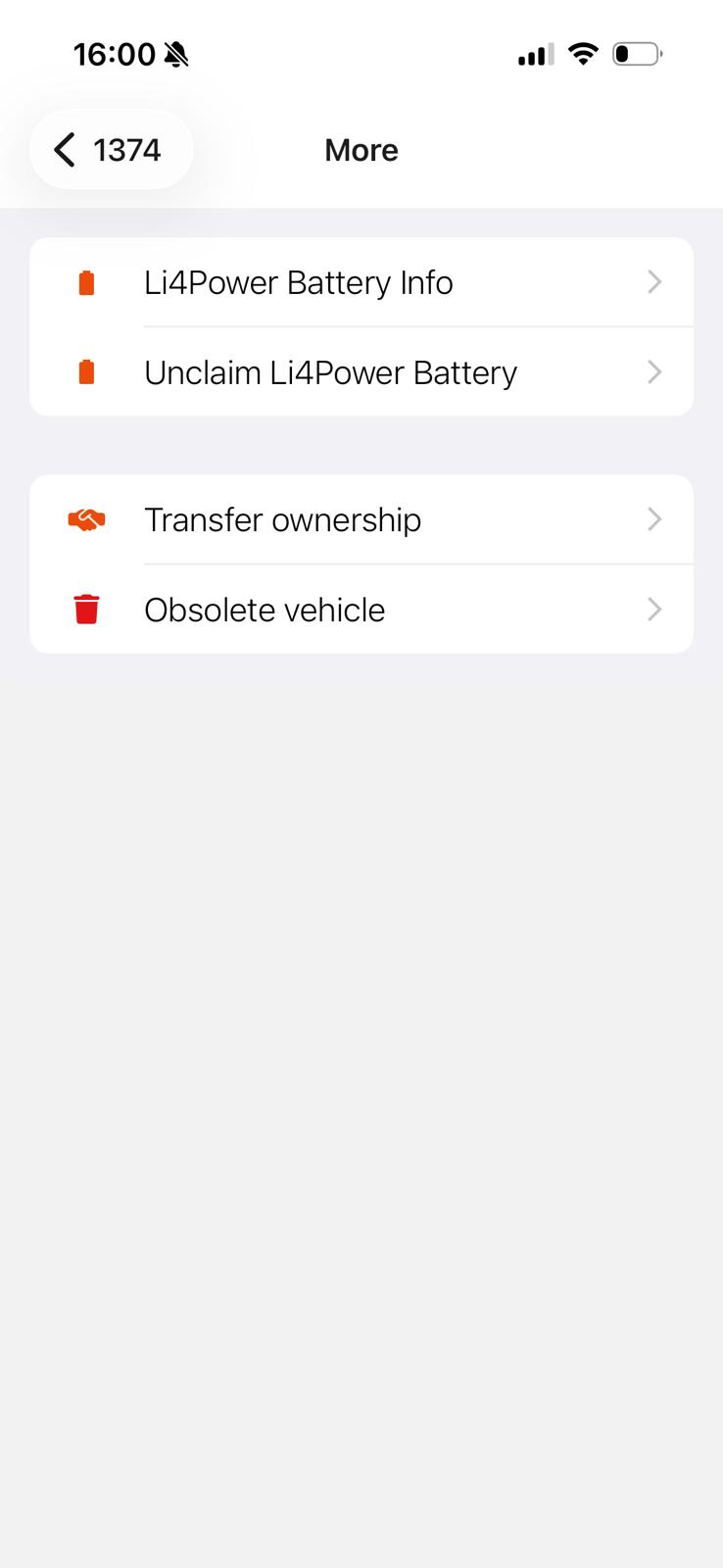
Click on more on the bottom of the page and click on Li4Power Battery Info to see all battery info. To see all info make sure you are in bluetooth range.
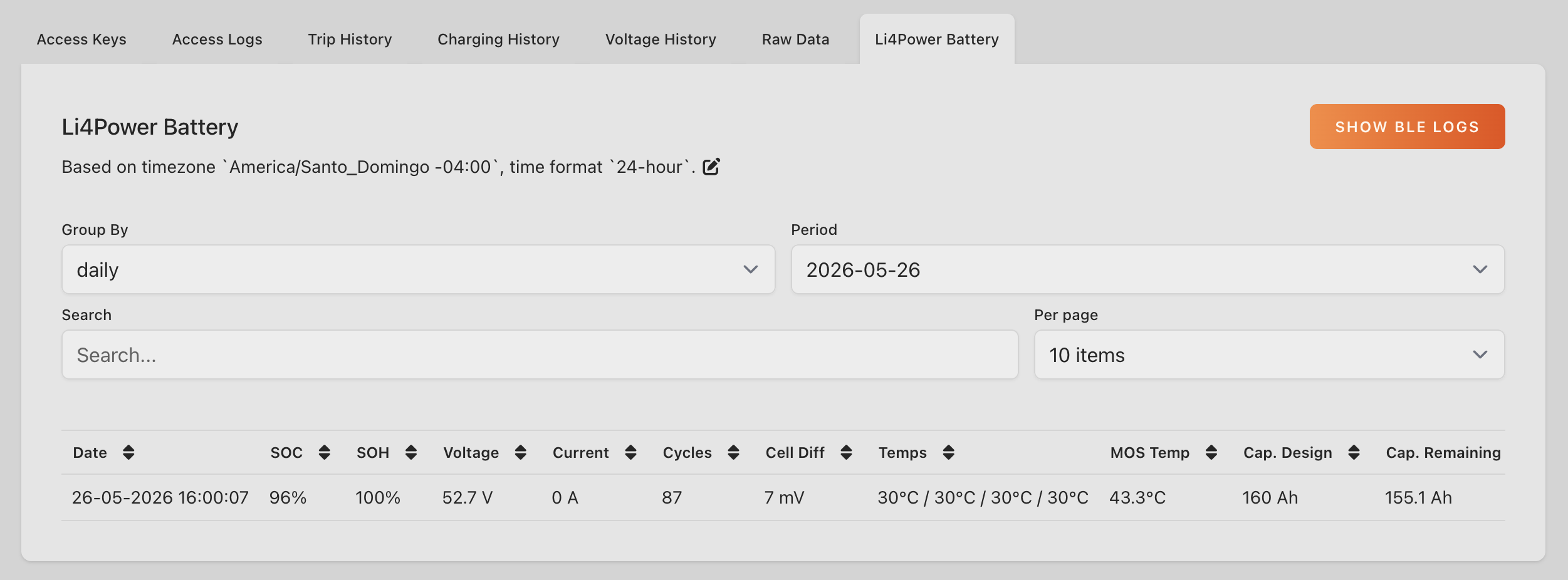
How to see Li4Power Battery History Data
Go to iq.ecoplaneta.com and select the vehicle for which you want to check the vehicle data.
Go to the Li4Power tab to see all history data that is synced with the IQ platform.
How to delete integration with IQ
You can also delete the integration when you for example swap out the battery for another. Just click unclaim Li4Power Battery on the More page.